

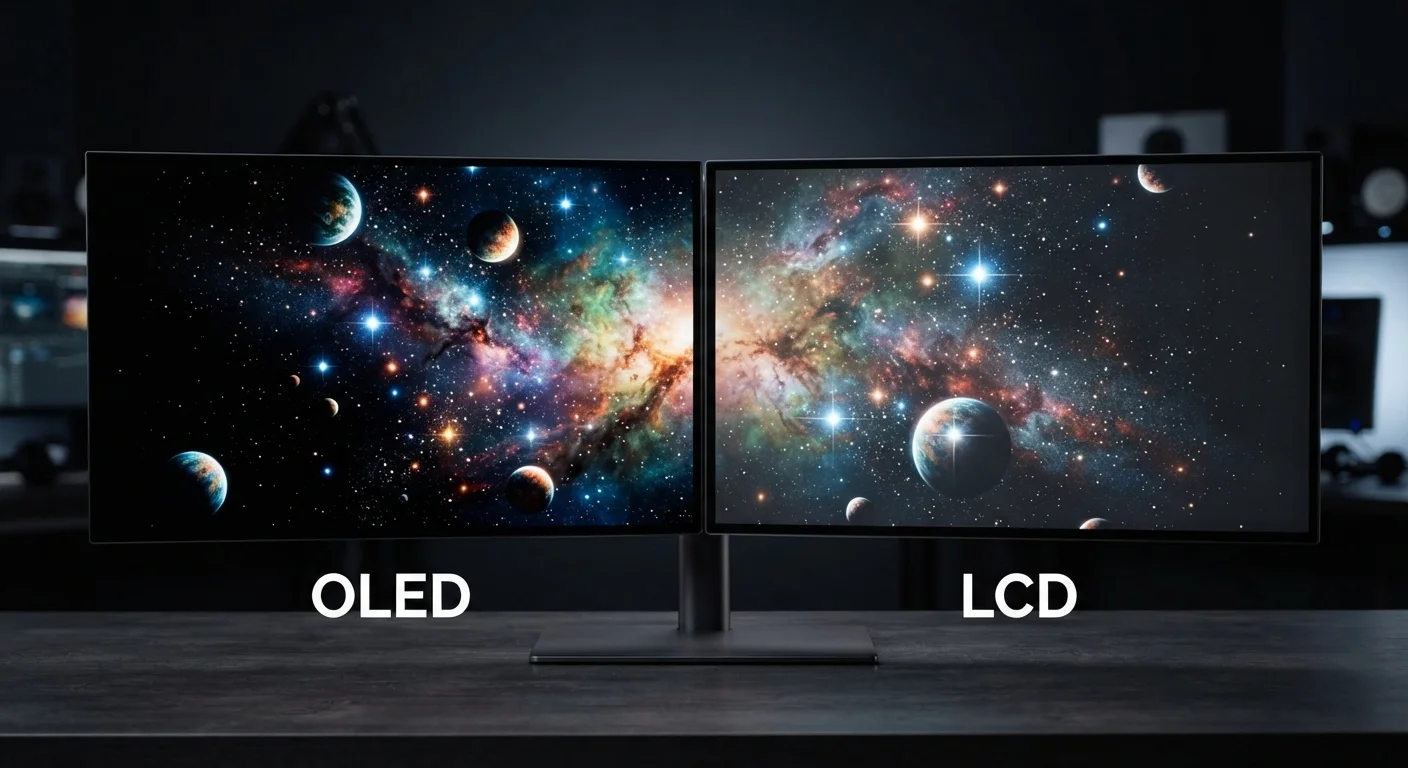
Key Takeaways
Option A
OLED (Organic Light-Emitting Diode)
The self-illuminating panel built for depth and contrast.
Best for: Viewers who prioritize deep blacks, vibrant color, and thin form factors — especially in dim or controlled-light environments.
Option B
LCD (Liquid Crystal Display)
The established, backlit workhorse behind most screens today.
Best for: Users who need consistent brightness in varied lighting conditions, longer-term display reliability, or lower upfront cost.
If you watch a lot of movies or TV in a darkened room
OLED
Self-emissive pixels produce true black levels and exceptional contrast that make cinematic content look its best in low light.
If your screen lives in a bright office or near a sunny window
LCD
LCD panels can sustain higher peak brightness over time, making content more legible in challenging ambient light conditions.
If you display static content like dashboards, menus, or news tickers for extended hours
LCD
OLED is susceptible to permanent image retention from static elements; LCD does not share this limitation.
If you want the thinnest possible device with vivid, accurate colors
OLED
Removing the backlight layer lets manufacturers build dramatically thinner panels with wider color gamuts.
If budget and long-term display longevity are your top concerns
LCD
LCD screens are generally available at lower price points and have a longer established track record for sustained brightness over years of use.
How Each Technology Actually Works
The single most important distinction between OLED and LCD is how each panel produces light. Understanding that difference makes every other comparison fall into place.
LCD panels are essentially light filters. A backlight — typically an array of LEDs positioned behind or along the edge of the panel — shines constantly. Liquid crystals sandwiched between polarized glass layers twist or untwist to block or allow that light through, and color filters give each pixel its hue. The backlight never fully turns off, which means even the darkest black on an LCD still emits some residual glow.
OLED panels work differently at a fundamental level. Each pixel contains organic compounds that emit light when an electrical current passes through them. There is no backlight — every pixel is its own independent light source. When a pixel needs to display black, it simply turns off entirely, emitting zero light.
This architectural difference — backlit filter versus self-emitting pixel — is the root cause of every practical performance gap between the two technologies. For a deeper look at how these specs appear on product listings, see our guide to reading electronics spec sheets.
| Criterion | OLED | LCD |
|---|---|---|
| Light source | Each pixel self-emits | Separate LED backlight |
| Black level | True black (pixel off) | Near-black (backlight bleeds) |
| Contrast ratio | Effectively infinite | High, but limited by backlight |
| Peak full-screen brightness | Moderate; limited to reduce wear | High; sustained across full panel |
| Color gamut | Wide; excellent accuracy | Good; quantum dot models competitive |
| Burn-in risk | Present with static content | Not a practical concern |
| Panel thickness | Very thin (no backlight layer) | Thicker due to backlight assembly |
| Typical price tier | Higher | Lower to mid-range |
Contrast, Brightness, and Color: Where Each Panel Leads
Contrast ratio measures the difference between the brightest white and the darkest black a display can produce simultaneously. Because OLED pixels switch off completely, the technology achieves contrast ratios that LCD cannot physically match — often described as "infinite contrast" in marketing materials. In practice, this means shadow detail in films and games looks noticeably richer on OLED.
Peak brightness tells a different story. LCD panels, especially those using full-array local dimming (FALD) — a technique that divides the backlight into independently controlled zones — can sustain very high brightness levels across large, bright scenes. OLED panels can hit impressive peak brightness in small highlight areas, but sustaining that output across the full screen generates heat and accelerates organic material wear, so manufacturers limit it.
Color accuracy and gamut tend to favor OLED in most independent testing, though high-quality LCD panels with quantum dot enhancement layers have narrowed that gap considerably in recent years.
1,000,000:1
Typical OLED contrast ratio
OLED panels achieve contrast ratios often cited at 1,000,000:1 or described as infinite, compared to LCD ratios typically ranging from 1,000:1 to 6,000:1 without local dimming.
~30%
Power saving on dark OLED content
Display research has found OLED panels can consume roughly 30% less power than equivalent LCDs when rendering predominantly dark content, due to inactive pixels drawing minimal current.
100,000 hrs
Rated lifespan for many LCD backlights
Many LCD panel specifications cite a rated backlight lifespan of approximately 100,000 hours to half-brightness, a benchmark OLED panels are also approaching in newer generations.
For a full explanation of how resolution interacts with panel quality, our resolution and PPI guide covers the complete picture.
Burn-In, Longevity, and Power Consumption
Image retention, commonly called burn-in, is a real — though often overstated — concern with OLED. When the same static image is displayed for thousands of cumulative hours, the organic materials in those pixels degrade unevenly, leaving a faint permanent ghost of that image. Modern OLED panels include pixel-shift algorithms, screensavers, and logo dimming features that significantly reduce this risk in typical consumer use. Still, for applications like broadcast monitoring, point-of-sale displays, or always-on smart home panels, LCD remains the more durable choice.
Power consumption depends heavily on content. OLED is more efficient when displaying dark images because dark pixels draw little to no power. A predominantly white screen — such as a document or a bright webpage — demands more from OLED, while LCD maintains a relatively constant power draw regardless of content color.
Lifespan for both technologies is generally measured in tens of thousands of hours under normal use conditions. Organic materials in OLED do degrade over time more than the inorganic components in LCD backlights, though for most consumer devices — phones, tablets, TVs — this rarely becomes visible within a typical ownership period.
Display technology also interacts with refresh rate, which affects motion clarity independently of panel type. Our refresh rate explainer covers that relationship in plain terms.
Mini-LED and MicroLED: A Middle Ground
Mini-LED is an advanced LCD variant that uses thousands of smaller LEDs for local dimming zones, dramatically improving black levels while retaining LCD's brightness and longevity advantages. MicroLED takes a different approach — self-emitting inorganic pixels, similar to OLED in concept but without organic materials. Both technologies sit between traditional LCD and OLED in the market and represent an area of active development. Neither has yet reached the mainstream price points of standard LCD or OLED panels.