

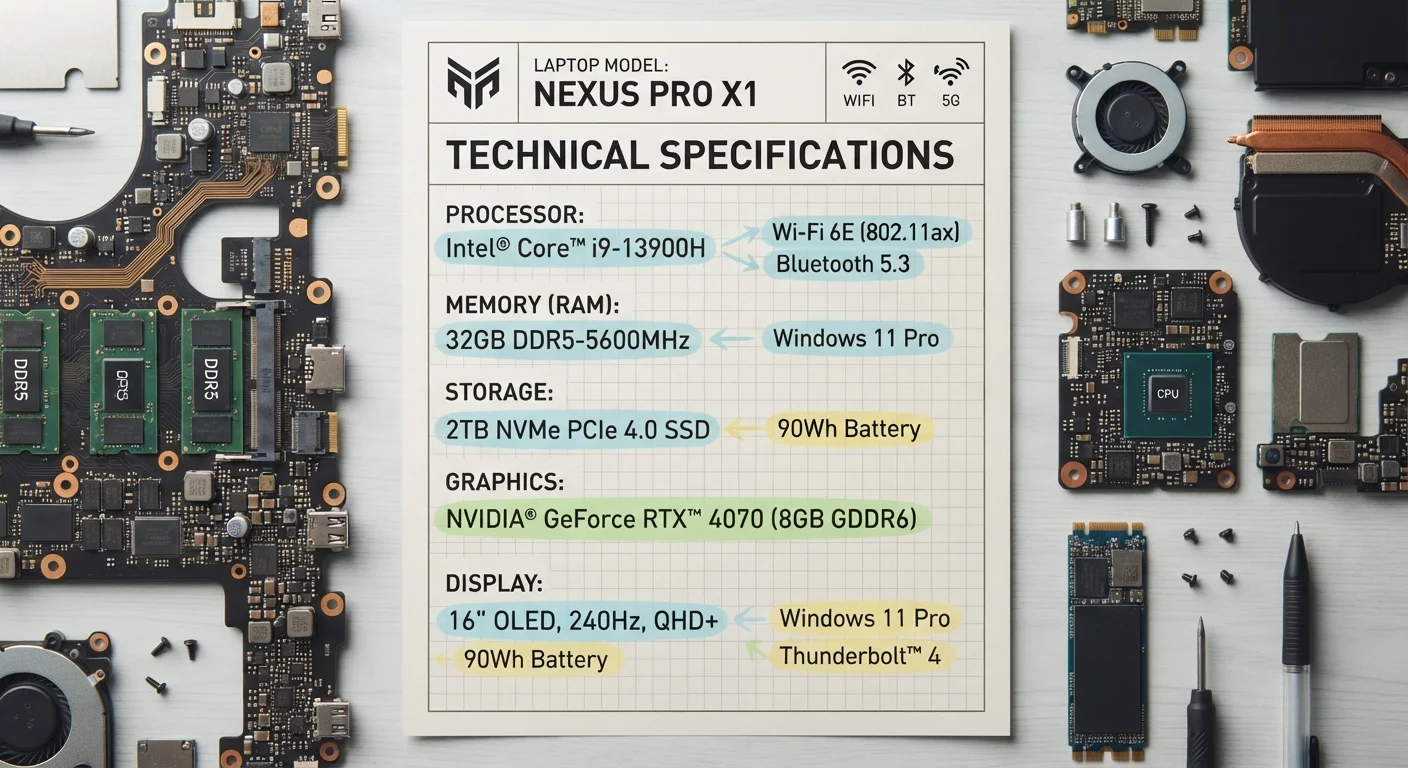
| RAM function | Holds actively running processes in temporary memory |
| Storage function | Holds all data permanently (OS, apps, files) |
| CPU function | Executes all software instructions on the device |
| RAM baseline (general use) | 8 GB for most users; 16 GB for multitaskers |
| SSD vs. HDD | SSDs are significantly faster; HDDs offer more GB per dollar |
| Clock speed unit | GHz (gigahertz) — instruction cycles per second |
Why These Three Specs Matter Most
When you open a spec sheet for a laptop, tablet, or smartphone, you're hit with dozens of numbers — screen nits, camera megapixels, battery milliamp-hours. Most of them are secondary. Three specs, however, shape how a device feels to use every single day: RAM, storage, and processing power. Understanding each one — and how they interact — lets you evaluate a device honestly rather than being swayed by whichever number a marketing team chose to put in the headline.
For a broader framework on navigating spec sheets, see our full spec sheet walkthrough. For a look at which numbers are mostly noise, the spec numbers that rarely matter is worth a read alongside this one.
| RAM function | Holds actively running processes in temporary memory |
| Storage function | Holds all data permanently (OS, apps, files) |
| CPU function | Executes all software instructions on the device |
| RAM baseline (general use) | 8 GB for most users; 16 GB for multitaskers |
| SSD vs. HDD | SSDs are significantly faster; HDDs offer more GB per dollar |
| Clock speed unit | GHz (gigahertz) — instruction cycles per second |
RAM: Your Device's Working Memory
RAM — Random Access Memory — is the short-term holding space a device uses while actively running apps, browser tabs, and background processes. Think of it as a desk surface: the larger it is, the more work you can have spread out without constantly shuffling things in and out of a filing cabinet.
When a device runs low on RAM, it begins offloading inactive tasks to slower storage, which causes the sluggishness and lag most people attribute vaguely to a device "slowing down." More RAM does not make individual tasks faster on its own; it allows more tasks to run simultaneously without that performance penalty.
What the numbers mean in practice:
- 4 GB: Functional for very light use — basic web browsing on a single tab, simple document editing. Feels constrained quickly.
- 8 GB: A practical baseline for most general users in current devices.
- 16 GB: Comfortable for multitaskers, creative workflows, and users who keep many browser tabs open.
- 32 GB+: Relevant for video editing, software development, or running virtual machines.
Also note whether RAM is soldered to the motherboard (common in thin laptops and phones, meaning it cannot be upgraded) or installed in removable slots.
RAM
Random Access Memory. Temporary, fast-access memory used by the device to hold active processes. Data in RAM is lost when the device powers off.
SSD
Solid State Drive. A storage device with no moving parts that uses flash memory. Generally faster and more durable than traditional hard drives.
CPU
Central Processing Unit. The primary chip that executes software instructions. Its speed and architecture determine overall device responsiveness.
NVMe
Non-Volatile Memory Express. A high-speed interface protocol for SSDs that delivers significantly faster data transfer than older SATA-based drives.
Clock Speed
Measured in GHz, this indicates how many instruction cycles a processor core completes per second. Higher is generally faster, but architecture matters too.
eMMC
Embedded MultiMediaCard. A budget flash storage format soldered directly to a motherboard, common in entry-level tablets and Chromebooks. Slower than SSDs.
Storage: Capacity, Speed, and Type
Storage holds everything permanently — your operating system, apps, photos, and files. Two factors matter equally: how much and how fast.
Capacity is measured in gigabytes (GB) or terabytes (TB). A common source of buyer regret is purchasing only enough storage for current needs without accounting for growth. Operating systems and apps consume a significant chunk of advertised capacity before you add a single file. Our article on how consumers misread storage specs covers exactly this pattern.
Type affects speed more than capacity does:
- SSD (Solid State Drive): No moving parts. Fast read/write speeds, more durable, standard in modern laptops and phones.
- HDD (Hard Disk Drive): Mechanical spinning platters. Slower but cheaper per gigabyte. Still found in some budget desktops and external drives.
- eMMC: A lower-cost flash storage format common in budget tablets and Chromebooks. Slower than a full SSD.
- NVMe: A high-speed SSD interface. Significantly faster than older SATA SSDs for read/write intensive tasks.
If expandable storage matters to you — via a microSD slot, for instance — check that spec separately; it is not always listed prominently.
Advertised Storage ≠ Usable Storage
Storage manufacturers measure gigabytes in powers of 10 (1 GB = 1,000,000,000 bytes), while operating systems measure in powers of 2 (1 GB ≈ 1,073,741,824 bytes). A device listed as 256 GB will show slightly less in the OS before the operating system and pre-installed software are accounted for. Always treat advertised figures as an upper bound, not a usable guarantee.
Processing Power: Cores, Clock Speed, and Real-World Performance
The processor (CPU) executes every instruction the device runs. Two figures dominate spec sheets: core count and clock speed (measured in GHz). Neither tells the full story alone.
Core count reflects how many independent processing units the chip contains. More cores help with tasks that can be split into parallel workloads — video rendering, large file compression, running multiple heavy apps. For basic tasks like browsing and email, extra cores provide diminishing returns.
Clock speed measures how many instruction cycles a core completes per second. A higher GHz figure generally means faster single-threaded performance — important for apps that don't parallelize well.
Chip architecture and generation matter as much as raw numbers. A newer chip at 3.0 GHz will often outperform an older one at 3.8 GHz because of architectural improvements in how efficiently it processes instructions. This is why comparing processors across generations or manufacturers using GHz alone is misleading. Look for independent benchmark data when performance comparison is critical.
Mobile devices also list GPU (graphics processing unit) specs for gaming and video performance, and increasingly flag an NPU (neural processing unit) for AI-accelerated features. These are worth noting but are secondary to CPU fundamentals for most users.
For related connectivity specs that affect overall device capability, our USB standards glossary is a useful companion reference.
~20%
Typical OS overhead on advertised storage
Operating systems and pre-installed apps routinely consume 15–25% of labeled storage capacity before a user stores anything.
5–10×
Speed advantage of NVMe over HDD
Consumer NVMe SSDs commonly deliver sequential read speeds 5–10 times faster than mechanical hard drives in everyday workloads.