

| Connector families in active use | USB-A, USB-C, Micro-USB, USB-B (USB Implementers Forum (USB-IF)) |
| Maximum USB4 v2.0 speed | 80 Gbps (USB-IF specification, 2022) |
| Thunderbolt 4 minimum guaranteed speed | 40 Gbps (Intel Thunderbolt 4 specification) |
| USB PD maximum wattage (PD 3.1) | 240W (USB-IF Power Delivery 3.1 spec) |
| USB 2.0 maximum speed | 480 Mbps (USB-IF) |
| USB-C reversible? | Yes — no wrong orientation |
Why USB Standards Are Confusing (And How to Read Them)
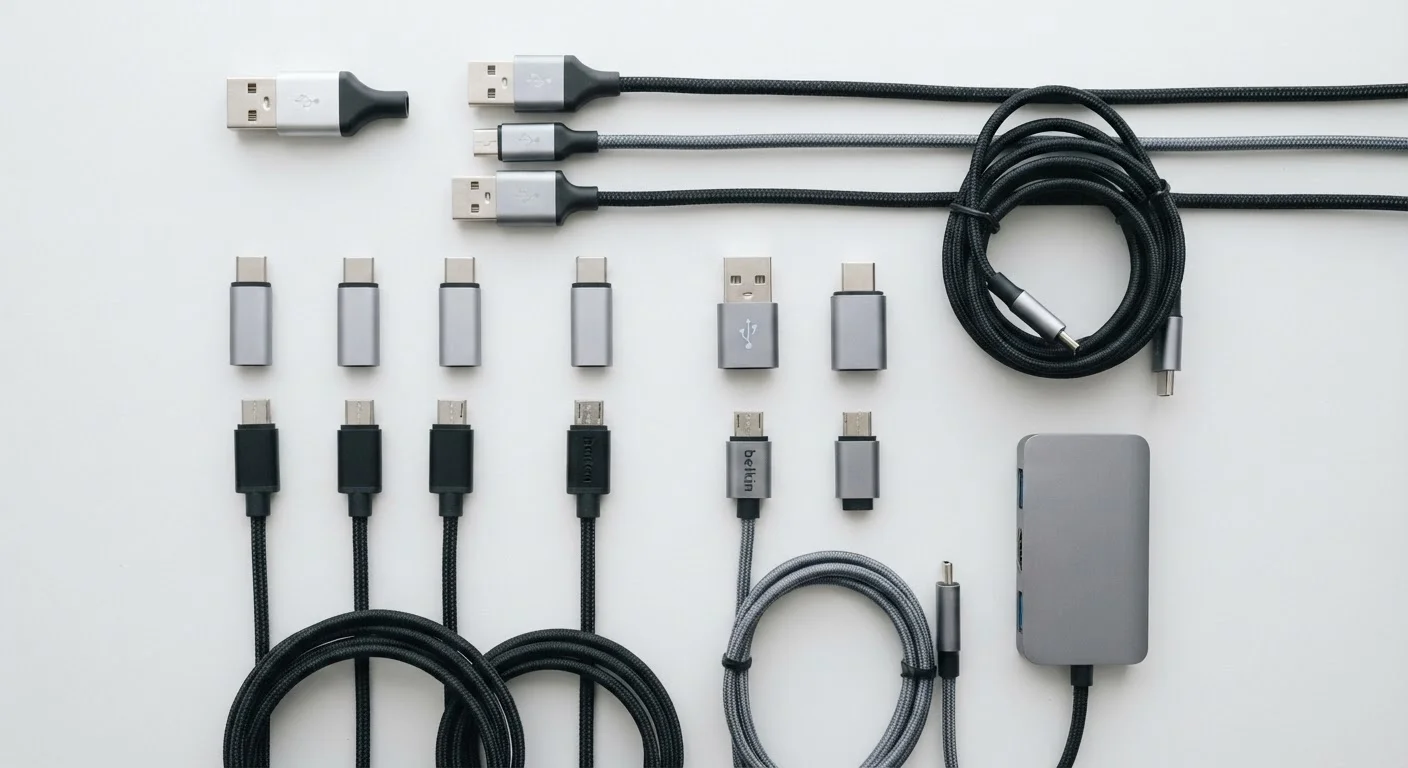
USB labeling follows two separate naming systems that manufacturers often mix together on packaging. One system describes the connector shape (USB-A, USB-C, Micro-B), and the other describes the data transfer standard running through that connector (USB 2.0, USB 3.2, Thunderbolt 4). A USB-C port, for example, can run anything from USB 2.0 speeds to Thunderbolt 4 — the shape tells you nothing about performance on its own.
Understanding this split is the foundation of reading any spec sheet clearly. Once you separate shape from speed, the rest of the terminology falls into place. For a broader look at how specs interact, see our spec sheet decoder.
| Connector families in active use | USB-A, USB-C, Micro-USB, USB-B (USB Implementers Forum (USB-IF)) |
| Maximum USB4 v2.0 speed | 80 Gbps (USB-IF specification, 2022) |
| Thunderbolt 4 minimum guaranteed speed | 40 Gbps (Intel Thunderbolt 4 specification) |
| USB PD maximum wattage (PD 3.1) | 240W (USB-IF Power Delivery 3.1 spec) |
| USB 2.0 maximum speed | 480 Mbps (USB-IF) |
| USB-C reversible? | Yes — no wrong orientation |
Connector Types: What the Shape Tells You
Connector type determines physical compatibility — whether a cable fits a port at all.
USB-A
The rectangular connector that has been the standard on computers and chargers since USB launched in the late 1990s. It is directional — there is only one correct orientation. Still extremely common on desktop computers, TVs, and wall chargers.
USB-C
An oval, reversible connector introduced around 2014 that is now the dominant connector on smartphones, laptops, and tablets. The shape alone does not specify speed or power capability — those depend on the underlying transfer standard.
Micro-USB
A small, trapezoidal connector once ubiquitous on Android phones and portable accessories. It has been largely replaced by USB-C but is still found on older devices, budget accessories, and some battery packs.
Thunderbolt
A high-performance interface developed by Intel that uses USB-C connectors on modern devices. Thunderbolt 3 and 4 support 40 Gbps speeds, video output, and daisy-chaining of peripherals. It is identified by a lightning bolt icon next to the port.
USB4
The current generation USB specification (written without a space) supporting up to 40 Gbps, or 80 Gbps in Version 2.0. USB4 requires USB-C connectors and mandates backward compatibility with Thunderbolt 3 devices.
USB Power Delivery (USB PD)
A standardized charging protocol over USB-C that allows devices to negotiate higher power levels — up to 240W under the most recent revision — enabling USB-C to charge laptops and other demanding devices.
Bandwidth
The maximum data transfer rate a connection can sustain, typically measured in megabits per second (Mbps) or gigabits per second (Gbps). Higher bandwidth means faster file transfers and better support for high-resolution video output.
PCIe Tunneling
A feature of Thunderbolt that allows the interface to carry PCIe signals, enabling external GPU enclosures and high-speed storage devices to connect via a single cable as if they were internal components.
Beyond these common types, you may also encounter USB-B (a square connector used on printers and some audio interfaces) and Mini-USB (largely obsolete, once common on older cameras and GPS devices). Neither appears on new consumer electronics with any regularity.
Transfer Standards: Where the Speed Numbers Live
Transfer standards define how fast data moves and how much power a port can deliver. These apply regardless of connector shape.
80 Gbps
USB4 Version 2.0 peak bandwidth
USB-IF ratified USB4 Version 2.0 in 2022, doubling the previous 40 Gbps ceiling over certified USB-C cables.
167×
Speed increase from USB 2.0 to USB4 v2.0
USB 2.0 tops out at 480 Mbps; USB4 Version 2.0 reaches 80,000 Mbps — roughly 167 times faster under ideal conditions.
240W
Max power via USB Power Delivery 3.1
The USB-IF's PD 3.1 revision extended the ceiling from 100W to 240W, covering most consumer laptop charging needs.
USB 2.0 tops out at 480 Mbps and remains the baseline on budget accessories, keyboards, mice, and charging-only ports. USB 3.2 Gen 1 (formerly USB 3.0) delivers 5 Gbps — sufficient for external hard drives. USB 3.2 Gen 2 doubles that to 10 Gbps, while USB 3.2 Gen 2×2 uses two data lanes to reach 20 Gbps, though it requires USB-C on both ends.
USB4 (no space — this is the official name) launched with 40 Gbps throughput on USB-C and incorporated Thunderbolt 3 compatibility as a requirement. USB4 Version 2.0 pushes bandwidth to 80 Gbps over certified cables. Thunderbolt 4, developed by Intel and licensed to manufacturers, mandates 40 Gbps minimum speeds, support for two 4K displays or one 8K display, and PCIe tunneling — making it the most capable standard you'll find on current laptops.
Wireless connectivity standards follow a similar logic of versioned performance upgrades. See how Bluetooth version numbers work for a parallel reference.
Power Delivery: USB-C's Other Job
USB Power Delivery (USB PD) is a charging specification that runs over USB-C, allowing devices to negotiate higher wattage than older USB standards permitted. Standard USB-A ports typically supply 5W. USB PD can scale from 18W up to 240W (under the USB PD 3.1 revision), enabling USB-C to charge laptops, monitors, and other high-draw devices — not just phones.
Fast-charging protocols like Qualcomm Quick Charge operate differently from USB PD and are proprietary. A charger supporting one protocol does not automatically support the other. When a device lists wattage support, match it to a charger rated at or above that figure using the same protocol for the fastest charge times.
Cable Certification Still Matters
Even when a port supports a high-speed standard, an uncertified or low-quality cable can limit performance or — in the case of high-wattage charging — pose safety risks. USB-IF certified cables carry a mark indicating they have passed compliance testing. For Thunderbolt 4 and USB4 applications especially, using a certified cable is worth the extra cost.