

Key Takeaways
Smart Home Wireless Protocols
A wireless protocol is a set of rules that determines how devices send and receive data without a physical cable. In the smart home space, four protocols dominate: Wi-Fi, Zigbee, Z-Wave, and Thread. Each was designed with different priorities — speed, range, power consumption, or mesh networking — so choosing devices often means choosing an ecosystem.
Protocols operate on specific radio frequencies (2.4 GHz, 900 MHz, etc.) and use different network topologies. Thread and Zigbee form mesh networks where devices relay signals; Wi-Fi connects each device directly to a router.
Why Protocols Matter More Than Marketing Buzzwords
When you shop for a smart bulb, thermostat, or door lock, the spec sheet often lists a protocol name — Zigbee, Z-Wave, Wi-Fi, or Thread — as if it were just another checkbox. In practice, that label determines how the device talks to the rest of your home, how long its batteries last, and whether it will still function if a company shuts down its cloud service.
Understanding the four main protocols doesn't require an engineering degree. Each one made deliberate design trade-offs, and recognizing those trade-offs helps you build a smart home that actually works reliably. For a broader look at how these devices fit into your network, see everything connecting to your home router.
~2.4 GHz
Frequency Zigbee and Wi-Fi share
Both Zigbee and standard Wi-Fi operate primarily on the 2.4 GHz band, which can create wireless interference in dense environments.
~100m
Typical Z-Wave outdoor range
Z-Wave specifies a line-of-sight range of up to 100 meters; real-world indoor range is shorter but often extends further than Wi-Fi devices at the network edge.
232
Maximum Z-Wave devices per network
Z-Wave networks support up to 232 nodes per controller, a practical ceiling most home users won't approach.
Wi-Fi: The Familiar Option With Hidden Costs
Wi-Fi smart devices connect directly to your home router using the same 2.4 GHz or 5 GHz bands your phone and laptop use. Setup is typically straightforward — no separate hub required — and many people already understand the concept from everyday devices.
The trade-offs are real, though. Each Wi-Fi smart device adds another entry to your router's client list. A large collection of Wi-Fi sensors, bulbs, and plugs can strain a router not designed for dozens of simultaneous connections. Battery life is also a concern: Wi-Fi radios draw considerably more power than alternatives, making them a poor fit for battery-operated sensors or locks. For perspective on what wireless convenience costs in other contexts, see our wired vs. wireless trade-offs explainer.
Wi-Fi works best for mains-powered devices — smart TVs, video doorbells, robot vacuums — where power draw is less of a concern and direct internet access is genuinely useful.
Zigbee and Z-Wave: Mesh Networks Built for Smart Homes
Zigbee and Z-Wave were designed specifically for low-power, low-data home automation tasks. Both create mesh networks: devices relay signals for each other, so adding more devices generally improves coverage rather than degrading it. A Zigbee bulb in your living room can pass a signal to a Zigbee sensor in a far corner of your home.
The key difference between the two lies in their radio frequencies. Zigbee operates primarily on the 2.4 GHz band — the same spectrum used by Wi-Fi and Bluetooth — which can create interference in congested environments. Z-Wave uses a sub-gigahertz frequency (around 908 MHz in the US), a less crowded band that tends to experience fewer conflicts with other wireless traffic.
Zigbee Is an Open Standard; Z-Wave Has Tighter Certification
Zigbee is maintained by the Connectivity Standards Alliance and has a large number of chipset manufacturers, which has historically led to some interoperability inconsistencies between brands. Z-Wave uses a more tightly controlled certification process, which has resulted in stronger cross-brand compatibility, though at the cost of a smaller device selection.
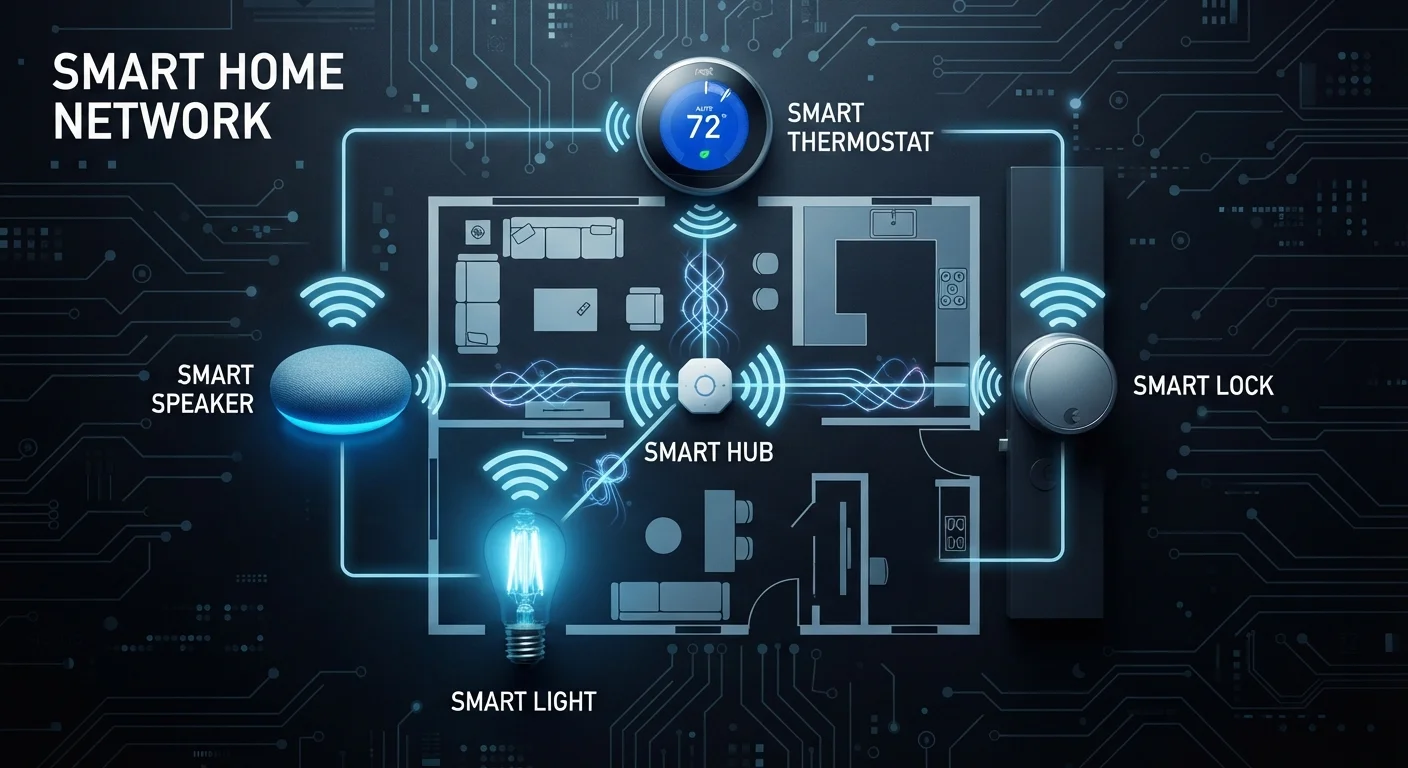
Both protocols typically require a compatible hub. Standalone operation without one is possible in limited configurations, but most practical setups rely on a hub to bridge devices to your smartphone app and cloud services. The trade-off is a small upfront investment in infrastructure that pays off in device choice and long-term flexibility.
Thread and Matter: The Newer Generation
Thread is a mesh protocol built on IPv6 — the same addressing system used on the modern internet — allowing Thread devices to communicate in a more direct, standardized way. Unlike Zigbee and Z-Wave, Thread doesn't need a proprietary hub; it uses a small device called a border router (often built into smart speakers or displays) to connect the Thread mesh to your IP network.
Thread underpins the Matter standard, a cross-industry initiative backed by Apple, Google, Amazon, and others to enable interoperability between smart home devices regardless of brand. A Matter-certified Thread device should work with any Matter-compatible controller — a meaningful shift from today's fragmented ecosystem.
Look for Matter Certification on New Purchases
When buying new smart home hardware, checking for Matter certification is one of the most practical ways to guard against ecosystem lock-in. Matter-certified devices are tested for cross-platform interoperability, meaning they should work with Apple Home, Google Home, and Amazon Alexa without brand-specific workarounds. This doesn't guarantee every feature will work across all platforms, but basic control and automation typically will.
Thread is not yet as widely deployed as Zigbee or Z-Wave, but device support is growing. If long-term compatibility is a priority, checking for Matter certification is a practical way to future-proof purchases without predicting which ecosystem will dominate.
Choosing the Right Protocol for Your Setup
There's no single right answer. The protocol that fits you depends on what you already own, how many devices you plan to add, and whether battery life or router load is a concern.
Many households end up using multiple protocols simultaneously — Wi-Fi for cameras and appliances, Zigbee or Z-Wave for sensors and switches, and Thread for newer devices. A capable hub can centralize control across all three. The important step is knowing what protocol a device uses before you buy, not after it arrives. If Wi-Fi generation differences affect your router's ability to handle smart devices, understanding Wi-Fi generations is a useful next read.