

Key Takeaways
Our Verdict
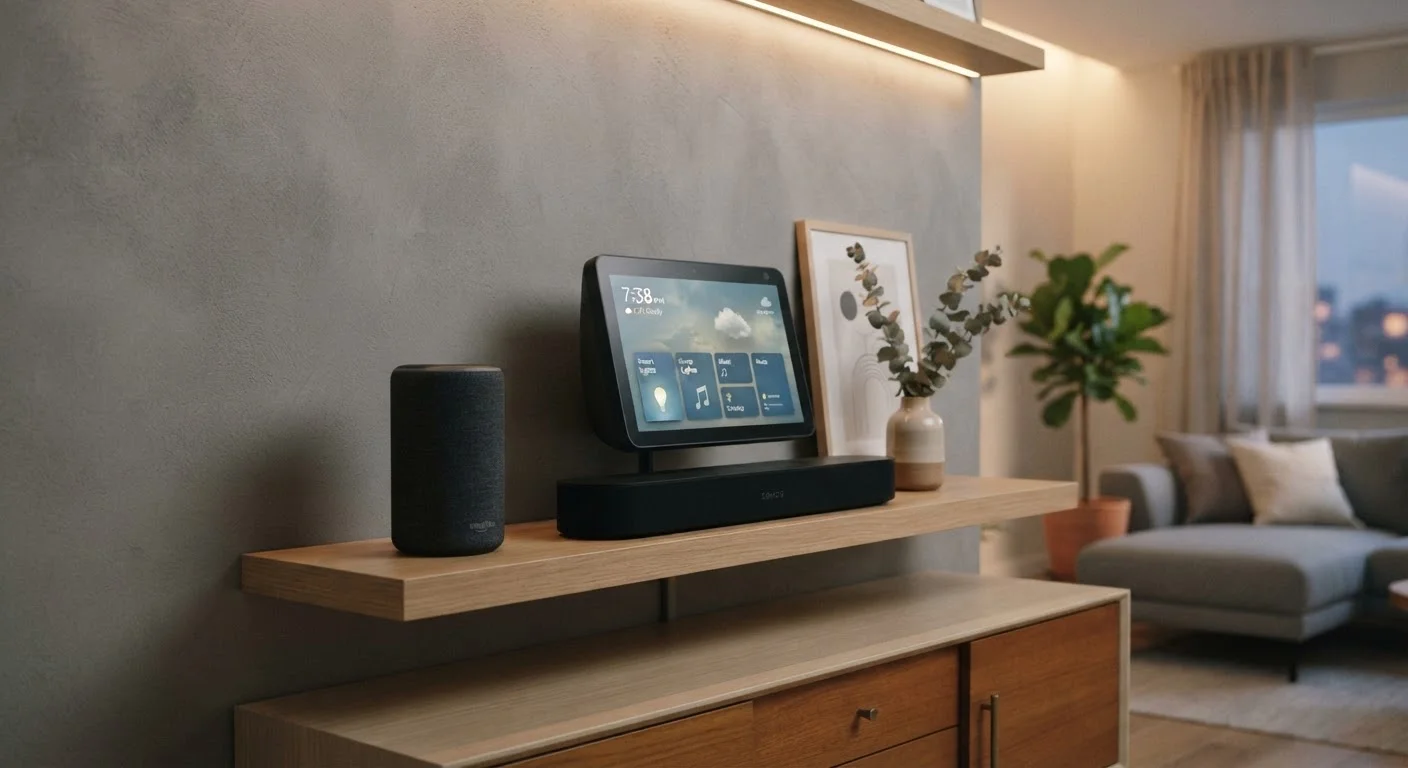
Smart speakers, smart displays, and soundbars occupy distinct roles in a home setup. Conflating them often leads to buying the wrong device for the wrong room. Matching each device to a specific function — control, visual interaction, or audio quality — produces a more practical and satisfying result.
| Best for | Recommended |
|---|---|
| Voice-based smart home control in any room | Smart Speaker |
| Kitchen countertop, home office, or living room with visual routines | Smart Display |
| Dedicated TV audio upgrade with optional voice control | Soundbar |
| Centralized home automation hub with screen-based management | Smart Display |
Why These Devices Get Confused
Walk into any electronics retailer and you'll find smart speakers, smart displays, and soundbars grouped near each other. They're all rectangular, they all connect to Wi-Fi, and some of them even respond to voice commands. But their core functions diverge significantly once you bring them home.
Understanding those differences before you buy saves you from setting up a device that only partially does what you expected. For a broader look at building a connected home, see what to set up first. And if unfamiliar terms come up as you read, plain-language definitions can help.
Smart Speakers: Voice Control Without a Screen
A smart speaker's primary job is listening and responding. Built around a virtual assistant — such as Amazon Alexa, Google Assistant, or Apple's Siri — these devices act as a voice interface for your smart home. You can ask them to dim lights, set timers, play music, check the weather, or trigger automation routines, all without touching anything.
The audio quality on most smart speakers is functional but not audiophile-grade. Compact drivers and cabinets produce decent sound for casual listening, but they aren't designed to fill a large room or handle surround sound. The trade-off is that these devices are small, discreet, and easy to place anywhere with a power outlet.
Match the Device to the Task
Before purchasing, write down the three things you'll use the device for most. If two of those three involve watching or reading something, a smart display will serve you better than a smart speaker. If all three involve sound quality for TV or music, a soundbar is the right starting point.
Where smart speakers fall short is in situations requiring visual confirmation — reading a recipe, making a video call, or managing a complex device list. For those tasks, a smart display closes the gap.
Smart Displays: Voice Plus Visual Feedback
A smart display is essentially a smart speaker with a built-in touchscreen. That screen changes the interaction model meaningfully. You can view camera feeds, scroll through music controls, watch recipe steps, join video calls, or manage a dashboard of smart home devices — all from the same device you already talk to.
Smart displays tend to be positioned in higher-traffic areas where glanceable information is useful: kitchen counters, home offices, or living room side tables. Their speakers are generally better than entry-level smart speakers, though still not optimized for dedicated media listening.
| Smart Speaker | Smart Display | Soundbar | |
|---|---|---|---|
| Primary function | Voice control & casual audio | Voice control & visual interface | TV and room audio output |
| Screen included | No | Yes (touchscreen) | No |
| Smart home control | Strong (voice-based) | Strong (voice + visual) | Limited (varies by model) |
| Audio quality | Functional, modest range | Moderate, better than TV speakers | High — primary design goal |
| Typical placement | Any room, discreet | Kitchen, office, living room | Below or beside TV |
| Video call capability | No | Yes | No |
| TV integration | Minimal | Minimal | Direct (HDMI ARC / optical) |
One key distinction: because smart displays run a full visual interface, they can show device states — whether a light is on, a door is locked, or a thermostat has reached its target — without requiring a separate app. That makes them practical as a low-friction home control center. Learn more about how these devices relate to dedicated hubs in our explainer on what a smart home hub actually does.
Soundbars: Audio-First, with Optional Smart Features
A soundbar is a speaker system engineered for audio performance — specifically for improving the sound coming from a television. It replaces flat-panel TV speakers, which are typically thin and weak, with a wider stereo field, more bass response, and often simulated or actual surround sound via additional satellite speakers or upward-firing drivers.
Some soundbars include built-in virtual assistants, making them voice-responsive. But that capability is secondary. The primary design priority is audio fidelity, dynamic range, and integration with your TV signal chain — not smart home control. A soundbar connected to a TV via HDMI ARC or optical audio will consistently outperform any smart speaker placed near a TV for movie and show audio.
If smart home control is something you want alongside great TV audio, most users pair a soundbar with a separate smart speaker or display rather than relying on the soundbar's assistant capabilities alone.
Choosing Based on Room and Role
The most practical way to decide between these devices is to start with where it will live and what it will do most often.
- Bedroom or hallway: A compact smart speaker handles alarms, timers, and basic controls without visual clutter.
- Kitchen or office: A smart display offers hands-free recipe viewing, video calls, and visual smart home control in a high-traffic area.
- Living room TV setup: A soundbar improves audio quality for the primary viewing experience; pair it with a smart speaker or display if voice control is also a priority.
For shoppers thinking carefully about where each dollar goes, consider what the device will do 80% of the time. A soundbar used primarily for voice commands is an expensive way to set a timer. A smart speaker used next to a TV is a poor substitute for real speaker hardware.
For context on making smarter purchasing decisions across home technology, our practical shopping strategies hub covers how to evaluate connected home products before committing.